01 / The installationProfessional dish installation
Secure Starlink dish mounting and neat cable routing for Swindon terraces, family homes, offices, workshops and rural properties.
Professional Starlink installation in Swindon for houses, village properties, offices and businesses. Secure dish mounting, neat cable routing, WiFi setup and a practical handover from experienced engineers.



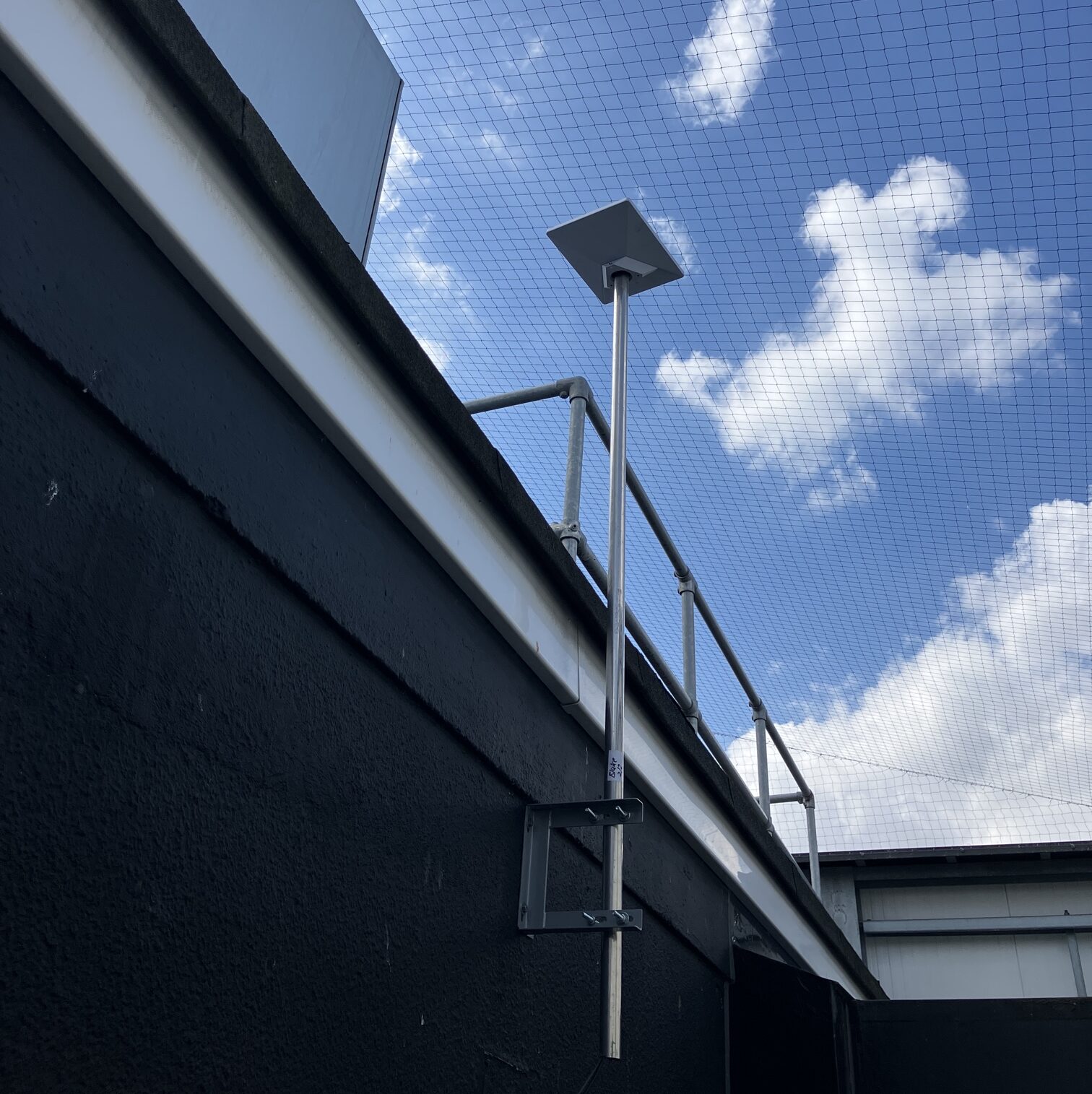
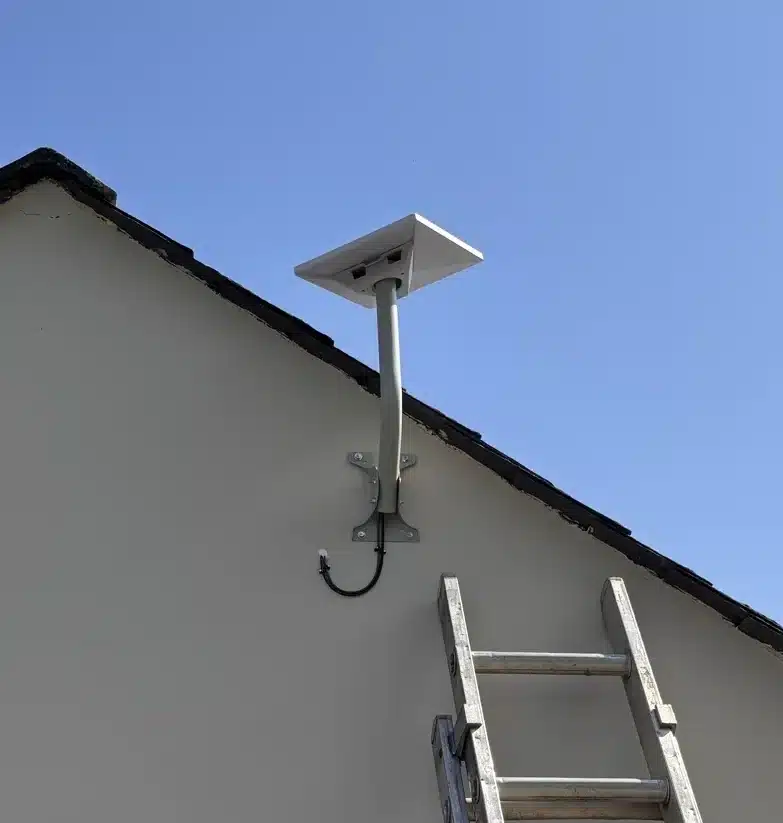

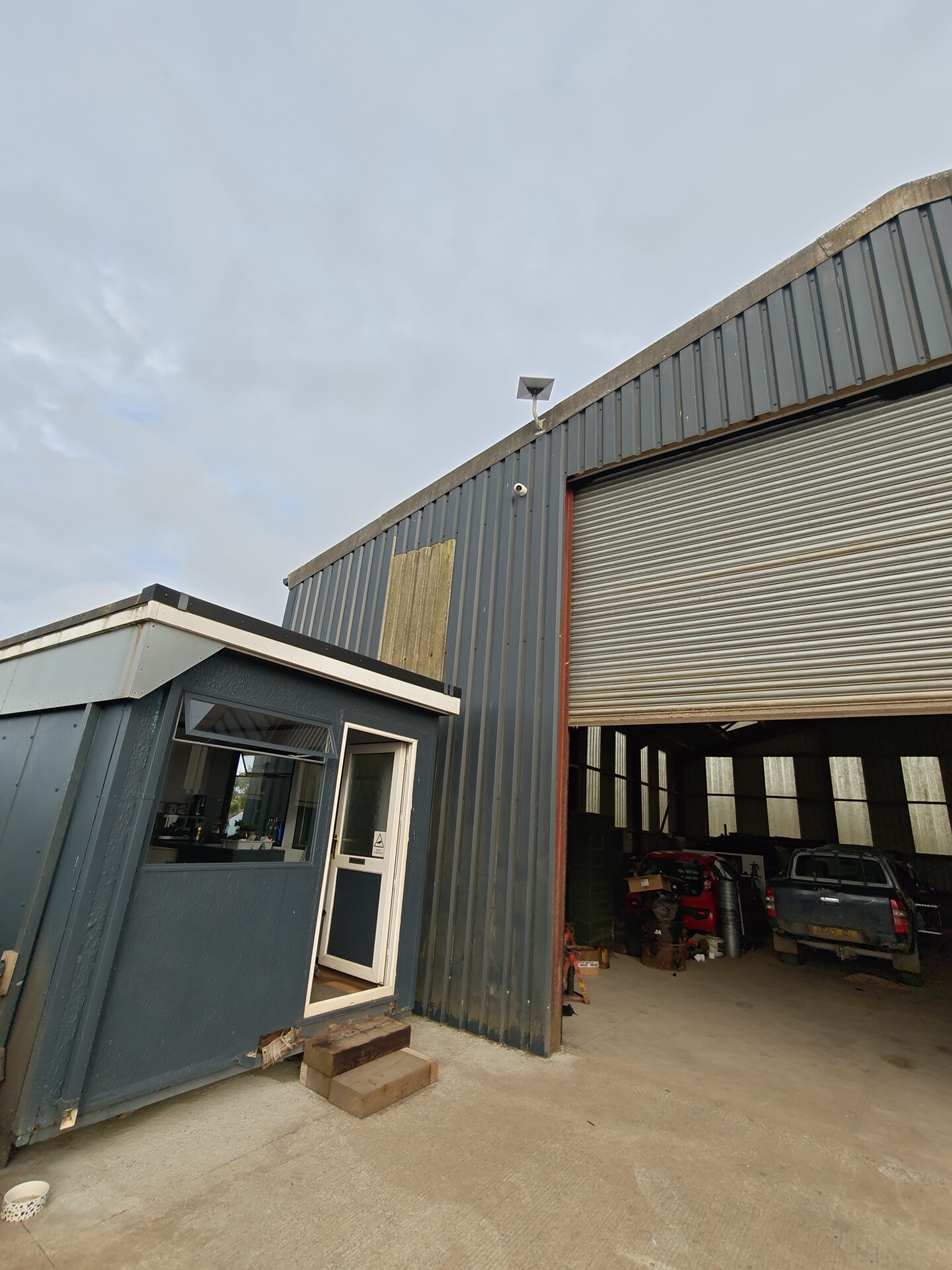
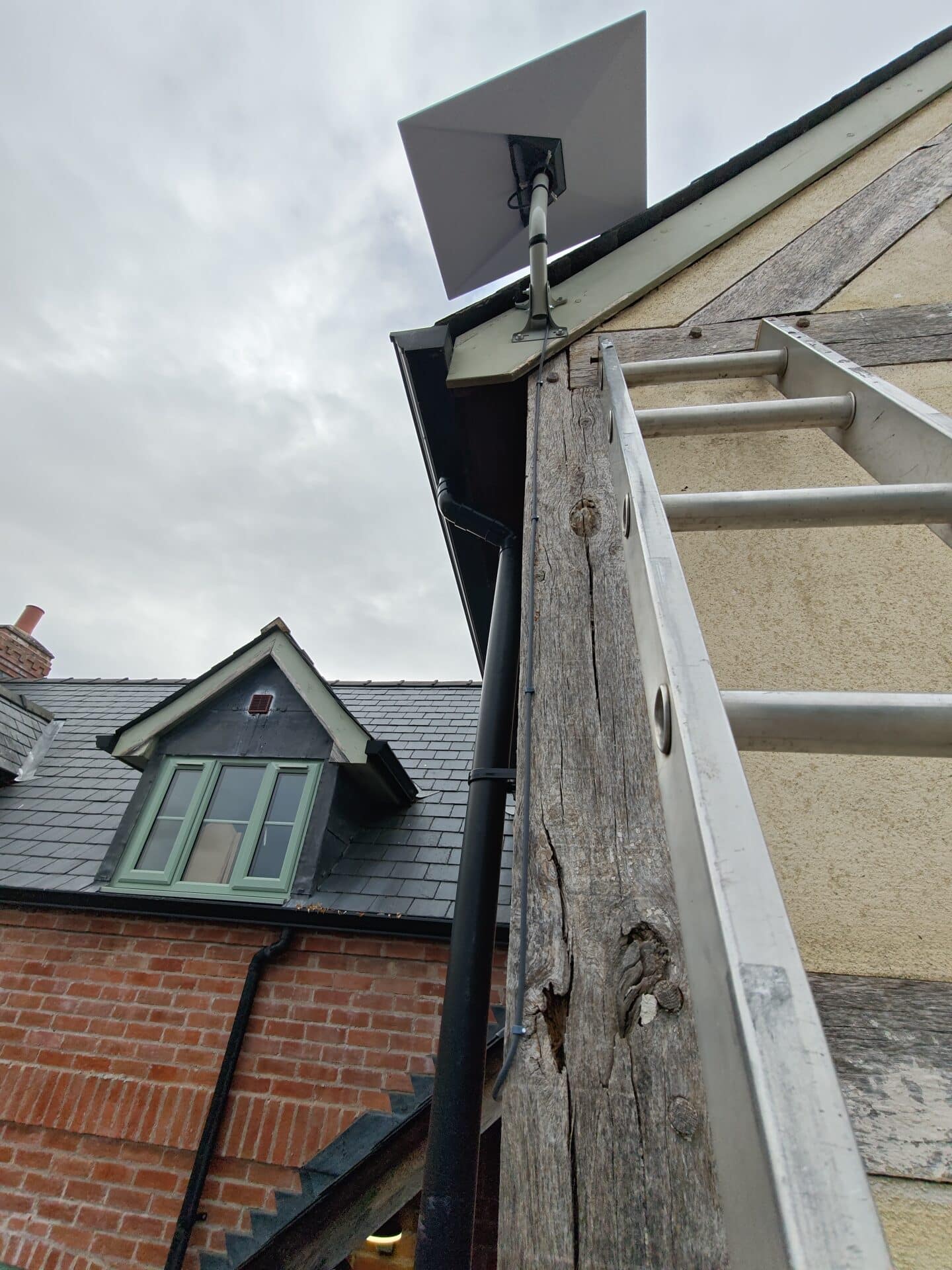
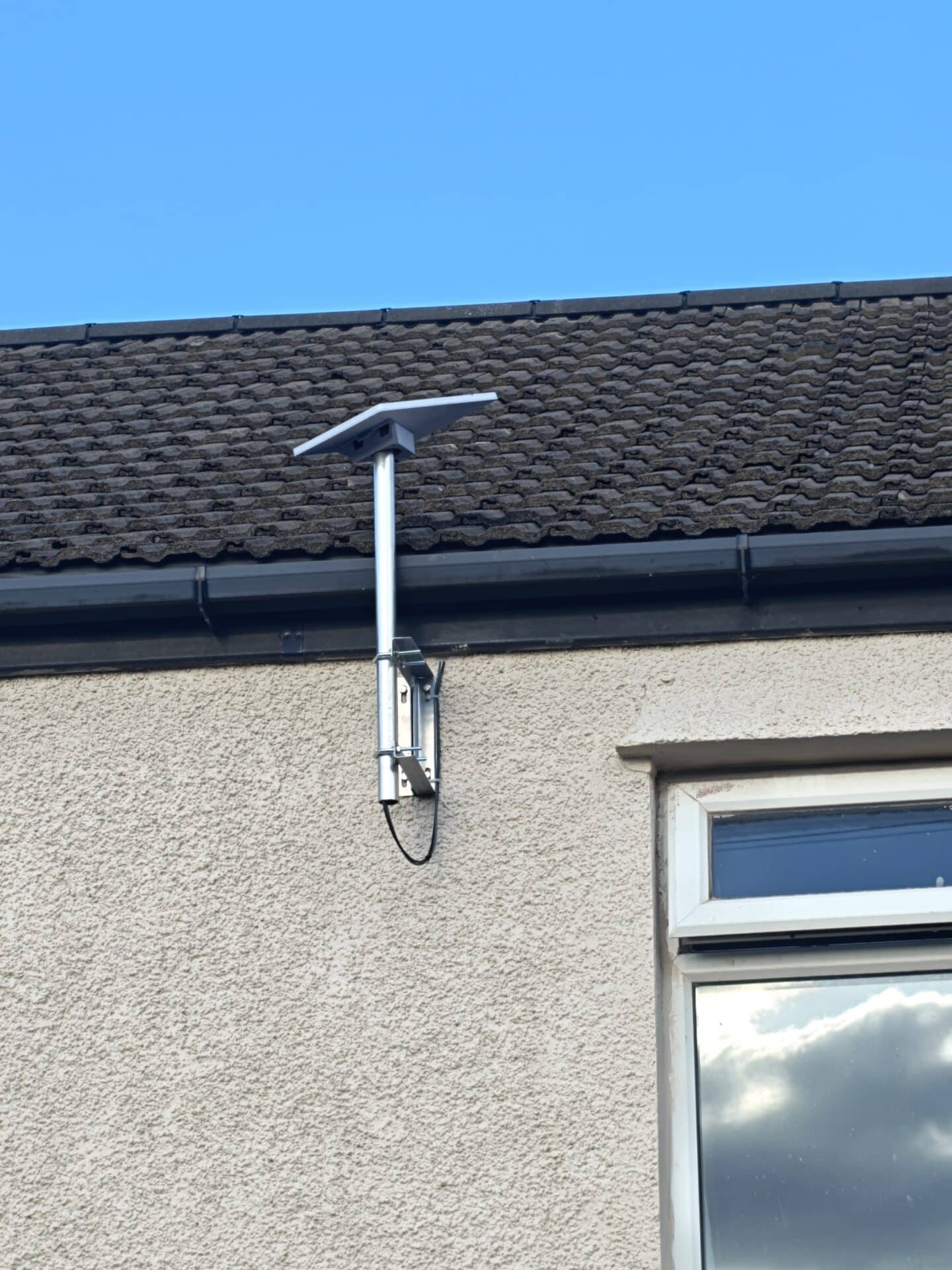
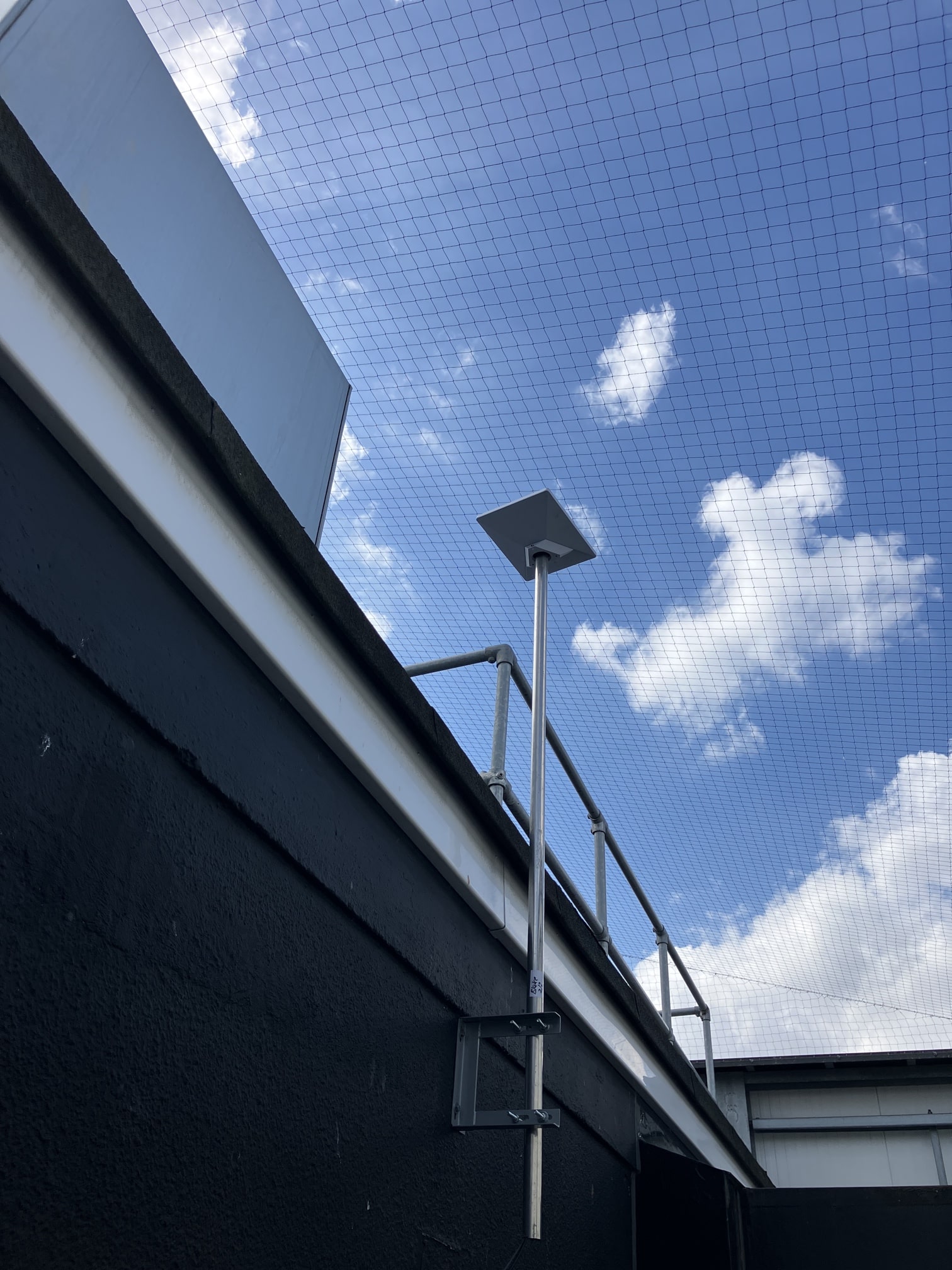
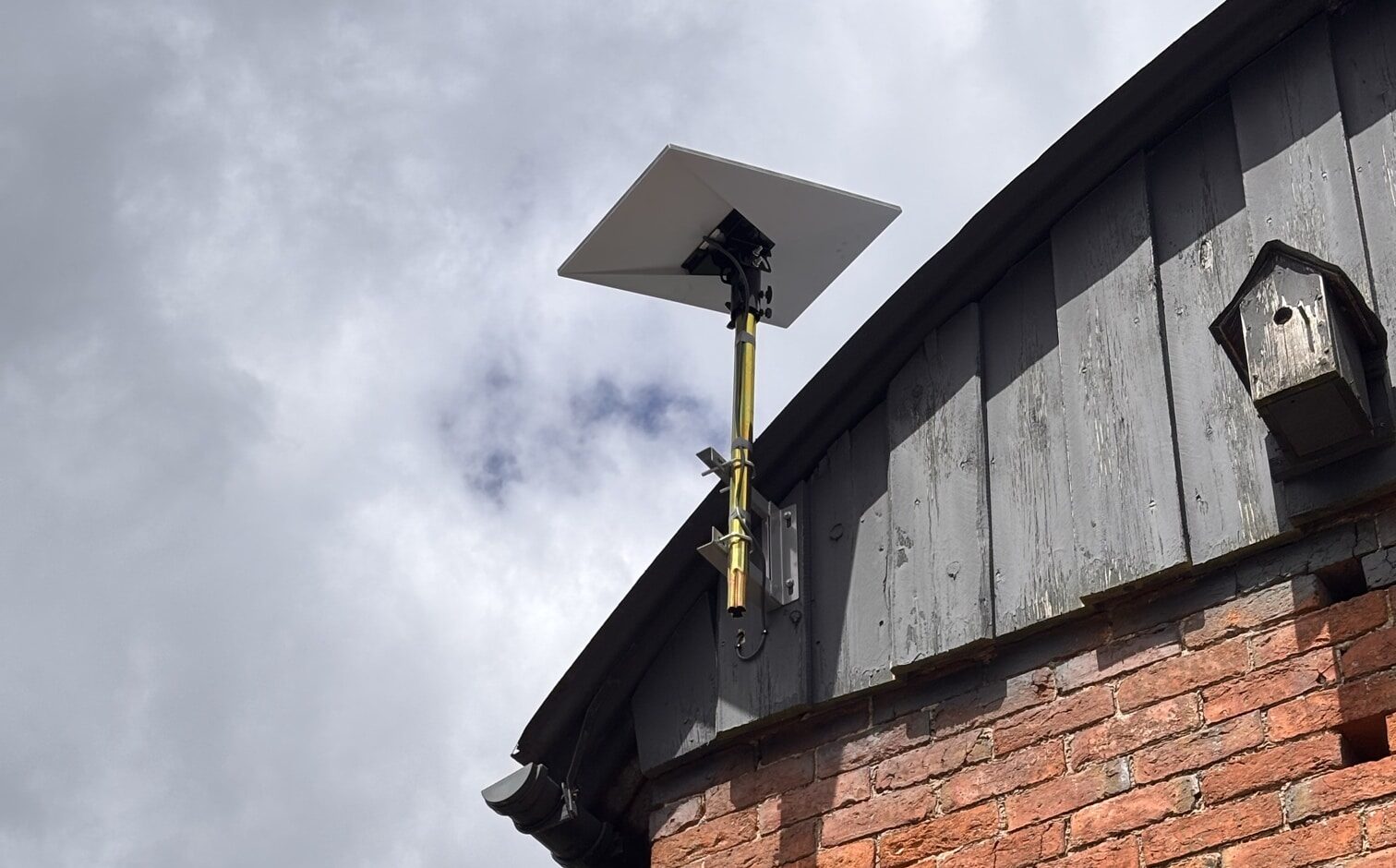
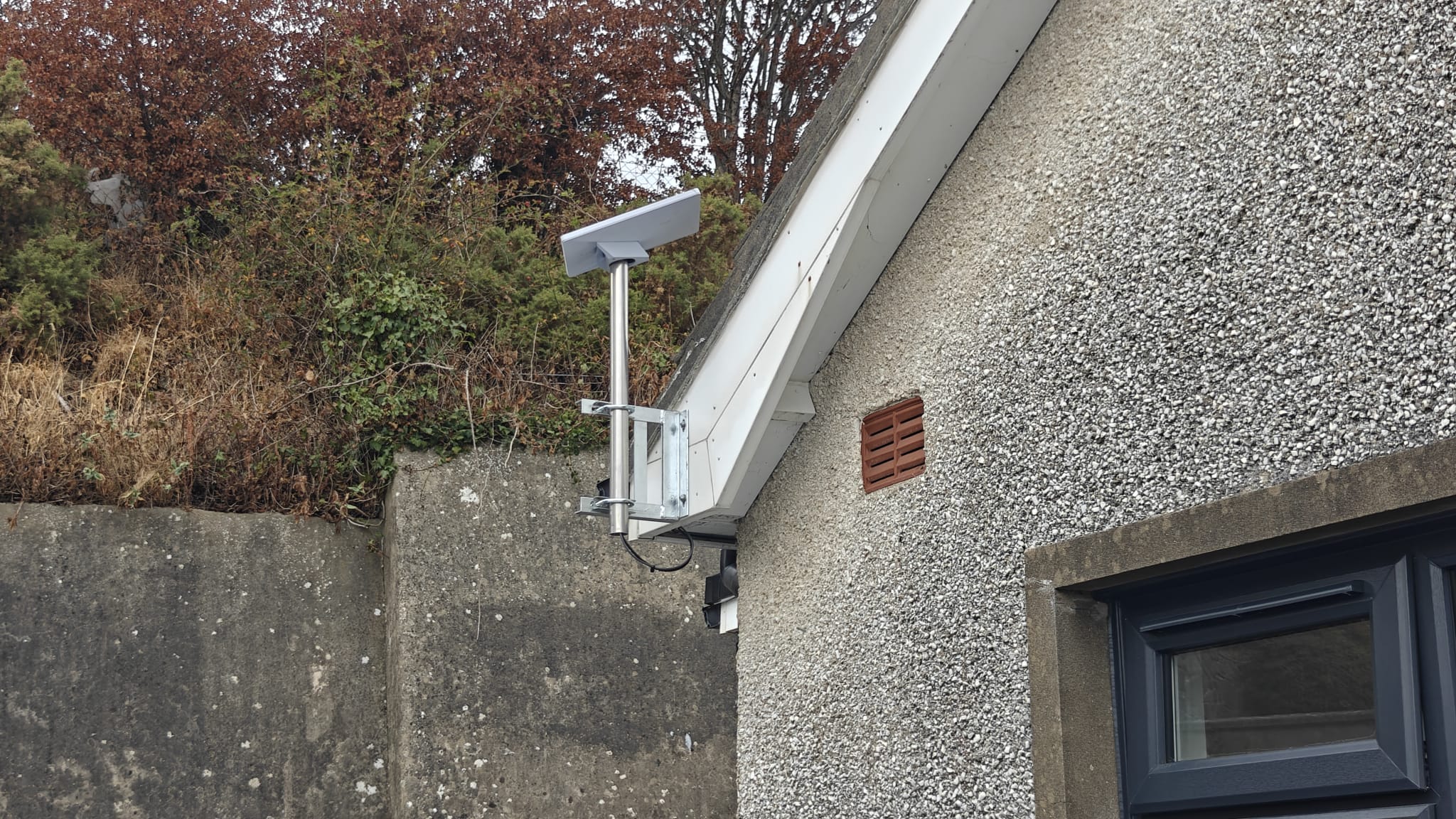
Real installations by Dyfed CCTV

Installed with care • Swindon
Send your Swindon postcode, property type and photographs of the proposed location. We can advise on access, mounting requirements, cable runs and the installation quote.
Beyond a basic dish installation
Secure Starlink dish mounting and neat cable routing for Swindon terraces, family homes, offices, workshops and rural properties.

Starlink can support streaming, video calls and home working. Actual speeds depend on plan, congestion and site conditions.

For larger homes, offices and outbuildings, ask about mesh WiFi, wired access points and building-to-building links.

A terraced house in Old Town, modern home in Priory Vale, commercial unit in Dorcan or rural cottage near Wroughton rarely needs exactly the same installation. We assess the sky view, mounting position, safe access, cable entry and router location before recommending a sensible, tidy solution. You arrange your Starlink service; Dyfed CCTV carries out the physical installation.
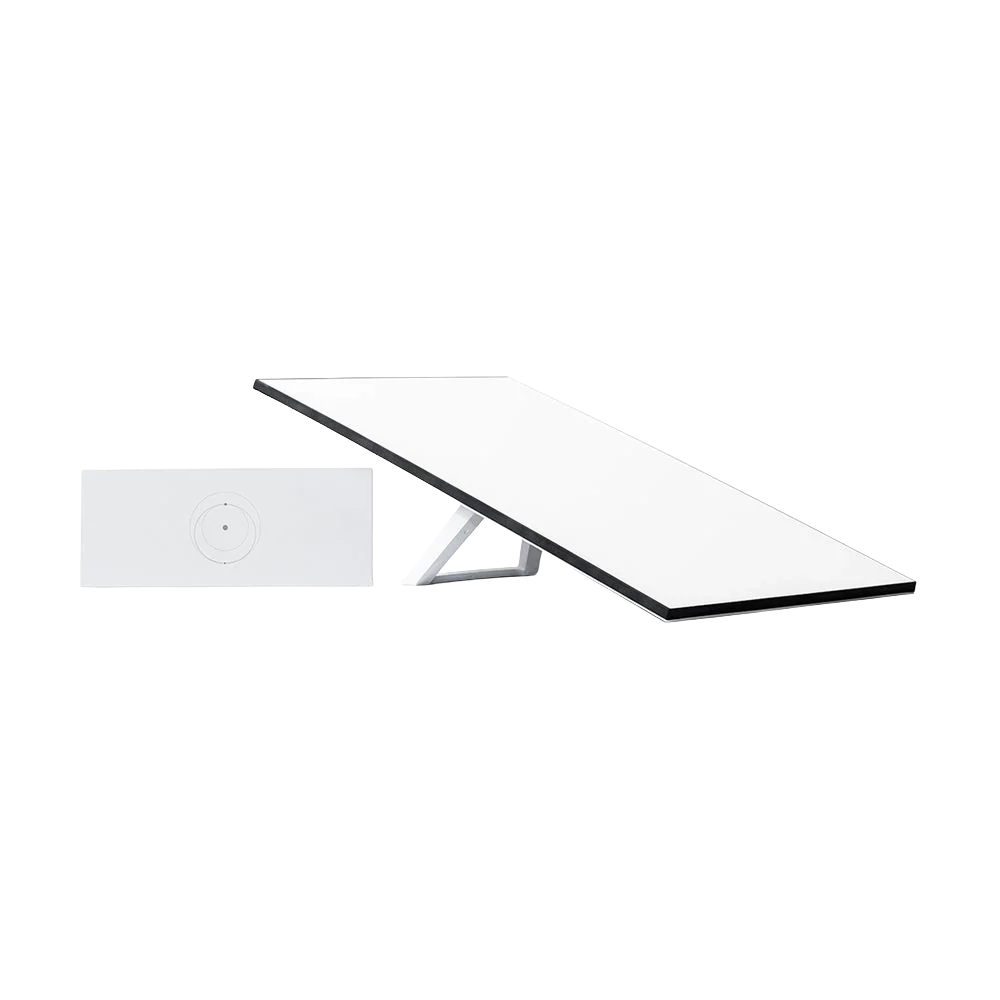
Order the Starlink kit directly from Starlink or buy a compatible Standard kit outright from a retailer such as Currys or B&Q. Dyfed CCTV can supply the right mounting hardware, secure the dish, route cables neatly, set up the router and check the connection at your home, business or rural property in and around Swindon.
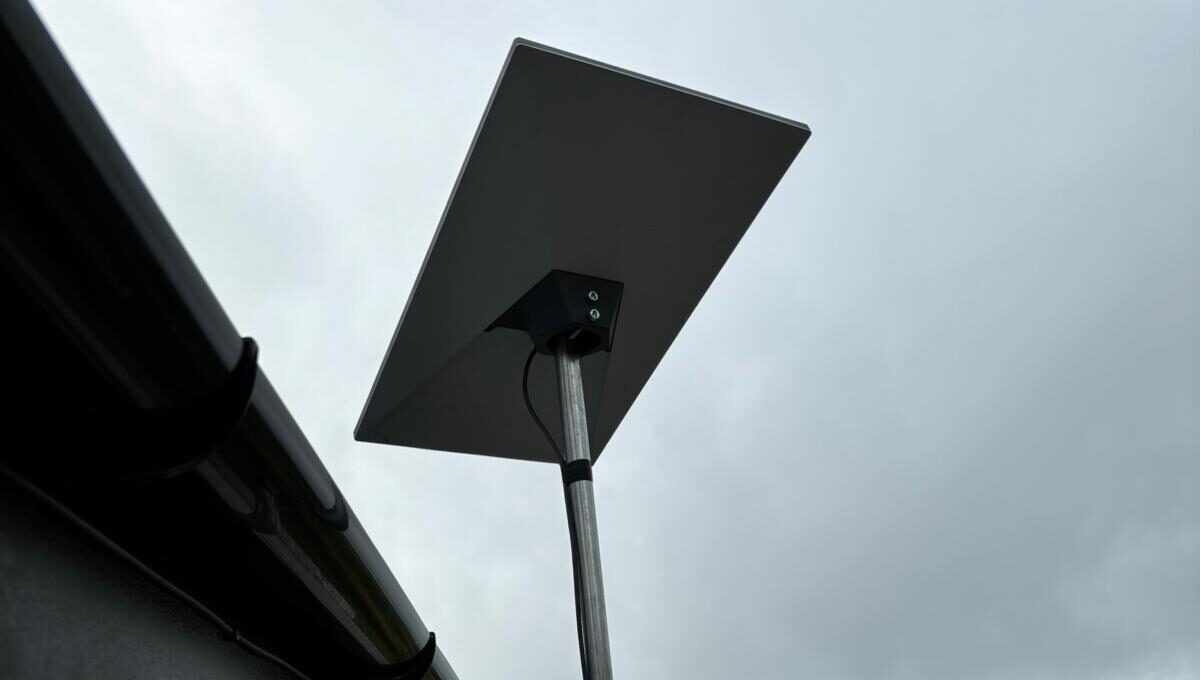
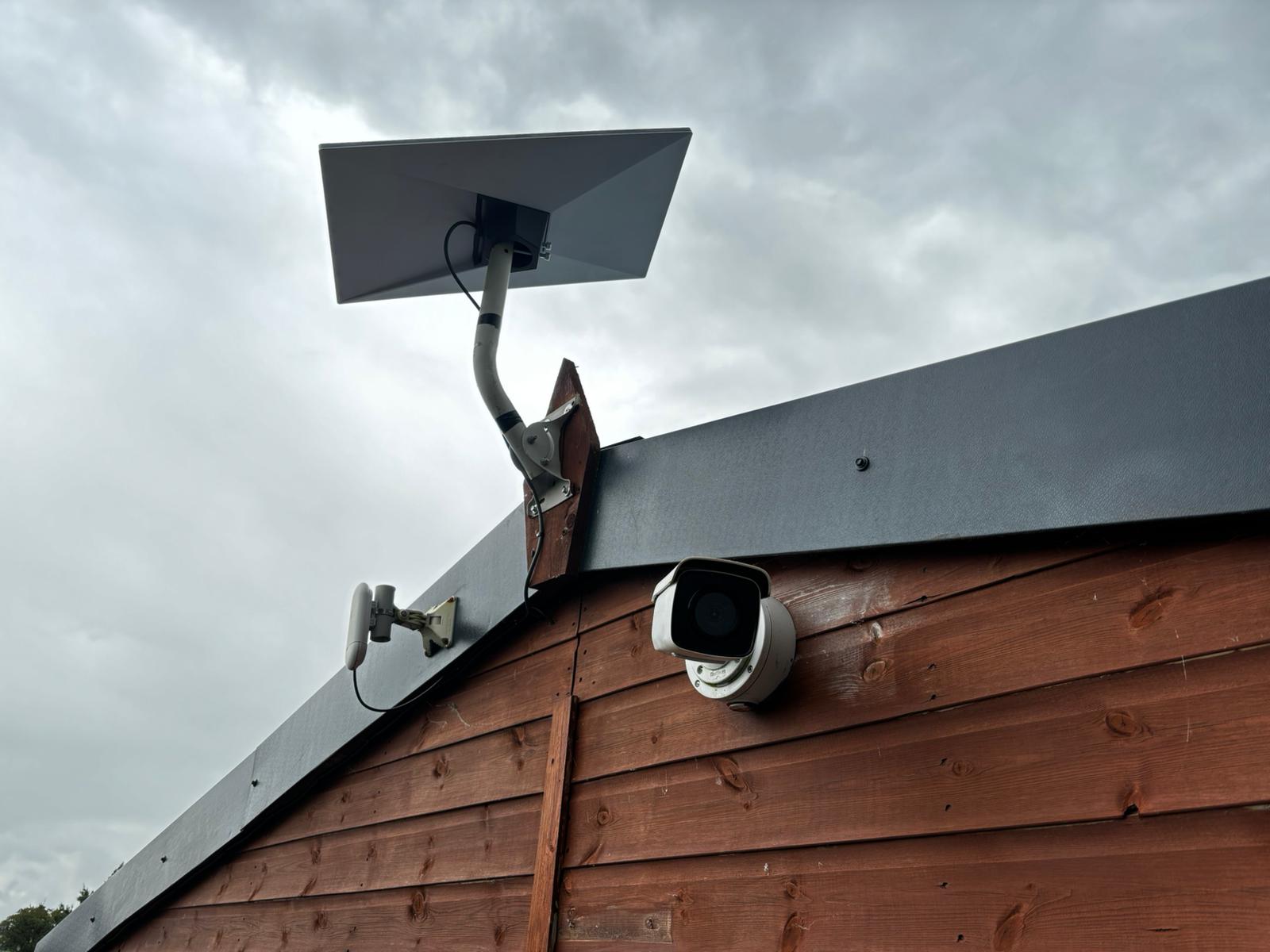 A real Dyfed install
Secure mounting, sensible dish positioning and protected cable routing for Swindon houses, offices, workshops and countryside properties.
 A real Dyfed install
We can plan reliable networking to outbuildings, garden offices, business units and wider sites where the standard router alone is not enough.
A considered engineering approach
From Railway Village terraces and Old Town properties to North Swindon estates, warehouses, workshops and rural homes, every installation begins with the property. We look at obstructions, safe access, the mount, cable route and the WiFi requirements — not simply how quickly a dish can be fixed outside.
Send the Swindon postcode, property type, useful photographs and any roof, wall, access or network requirements.
We consider nearby roofs, chimneys, trees and the available sky view. The Starlink app obstruction checker can help before work is booked.
We assess wall, roof, pole, chimney or outbuilding options, allowing for exposure, material, height and safe access.
We clarify the likely labour, bracketry, cable route and whether extra networking equipment is required before installation.
You purchase or order the compatible Starlink kit and choose the subscription directly with Starlink or your selected retailer.
Suitable fixings and mounting accessories are installed for the specific building and manufacturer requirements.
We aim for a neat, supported cable run with a carefully finished external entry and a sensible router location.
We power up and configure the equipment, check the connection where service is active, and explain the app and setup.
Local installation knowledge
Swindon includes historic railway terraces, Old Town streets, family estates in the north and west, modern developments, industrial units and countryside villages. The right Starlink installation depends on rooflines, safe access, clear sky views and a clean cable route.
Close rooflines, older brickwork, chimneys, rear extensions and sometimes protected buildings call for discreet, secure mounting and careful cable routing.
Wroughton, Chiseldon, Wanborough and villages around the town can have mature trees, outbuildings, open fields and exposed fixing positions. We plan for both obstructions and weather.
Larger footprints, gardens, garages and more rooms to cover often benefit from planning the Starlink installation and whole-property WiFi together.
Communal roofs, shared building fabric, managed blocks and restricted external elevations must be reviewed before any dish, bracket or cable is installed.
Larger or multi-floor homes in Abbey Meads, Priory Vale, Wichelstowe and West Swindon can require careful router placement, mesh WiFi or wired access points.
Offices, workshops, hospitality sites and multi-building premises may need Starlink to work alongside WiFi, network switches, CCTV and point-to-point links.
Send your Swindon postcode, a photograph of the proposed mounting area, a wider photograph showing the roofline or elevation, the room where you would like the router and a short description of what the connection needs to cover. Mention any garden office, workshop, CCTV recorder or separate building from the start.
Explore real mounting and connectivity work from the Dyfed CCTV team. These examples show the tidy cable routes, bracket choices and practical site solutions we bring to customers in the Swindon area.
Straightforward pricing • No invented starting prices
A useful quote separates the Starlink hardware and subscription from the professional installation, mounting parts and any optional networking work. We quote around the actual property rather than advertising a price that does not cover difficult access.
Roof, wall, pole, chimney or outbuilding installations require different fixings, exposure checks and working methods.
A straightforward wall mount differs from steep roofs, tall townhouses and buildings needing specialist access arrangements.
Distance, routing, cable protection, fixing to external surfaces and a weather-resistant entry influence the job.
The correct pole, bracket, adapter and suitable fasteners depend on the surface and Starlink hardware version.
Mesh WiFi, additional wired access points and outbuilding links can be discussed separately if the basic router is insufficient.
Tell us if the dish, router and installation accessories have arrived. We will check what can be reused and what must be supplied.
Homes, terraces, detached properties, flats with suitable permissions, workshops and commercial buildings all need a mounting and network plan that fits the property rather than a one-size-fits-all approach.
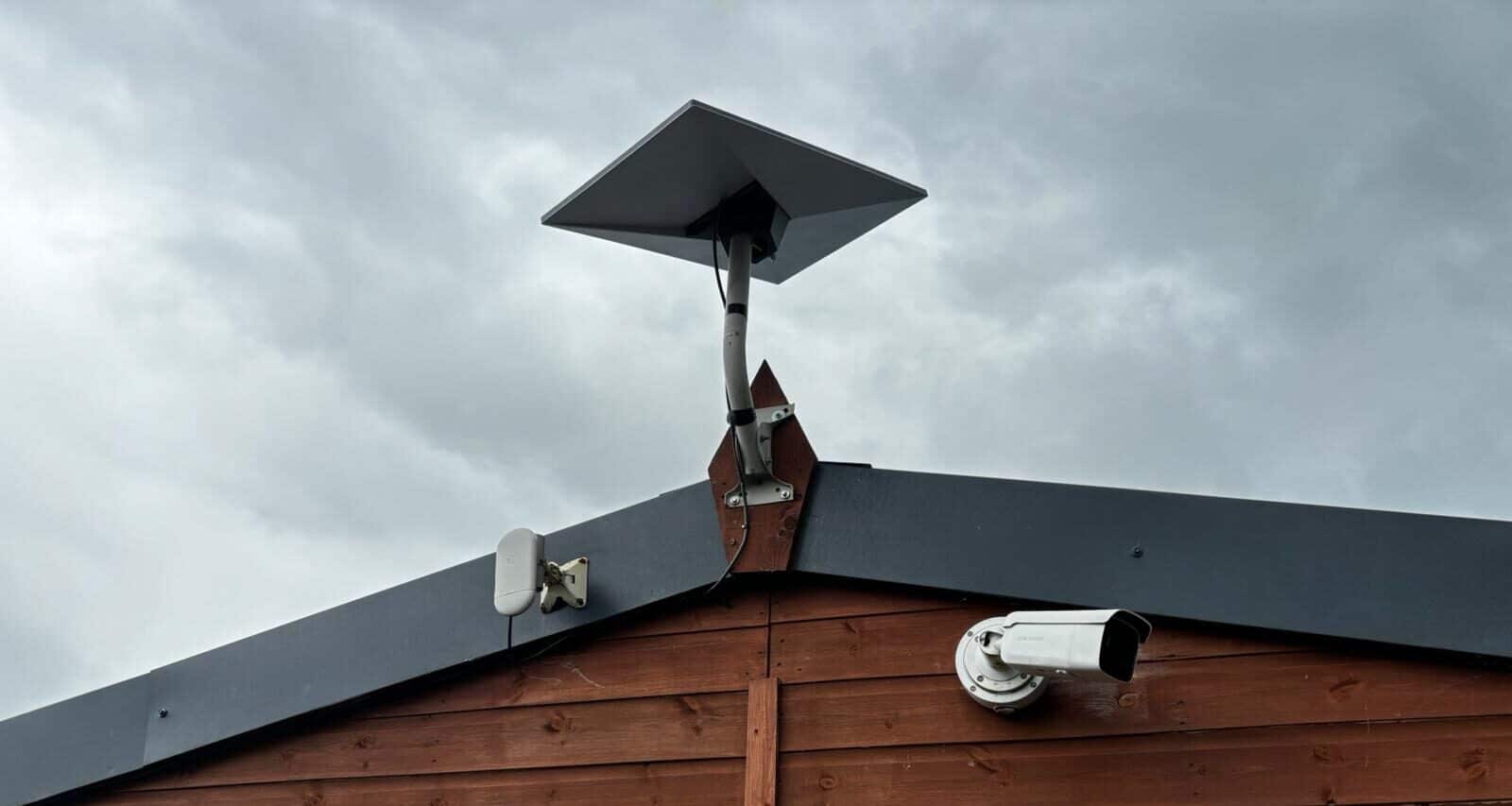

One connection. A network that reaches further
Starlink can provide the internet connection without automatically providing strong WiFi in every room or separate building. Larger homes, thick walls, several floors and garden offices may need additional networking.
Suitable for smaller properties where the router can be positioned centrally and internal construction is straightforward.
Useful for larger homes, several floors, extensions and rooms beyond the useful range of a single router.
A strong option where network cable can be run to key locations and dependable coverage is the priority.
A dedicated point-to-point link can carry the connection to a garden office, garage, workshop or another building.
Some properties in Old Town and the Railway Village have close rooflines, chimneys or mature trees, while exposed sites around Wroughton, Wanborough and South Marston have different mounting requirements. The right mount should provide a clear sky view without adding unnecessary height or compromising the finish of the property.
Our team also works with CCTV, structured networking and point-to-point wireless connections. Wider WiFi equipment and additional network cabling are assessed and quoted separately from the basic Starlink dish installation.
The practical details
A permanent dish needs more than a clear sky view on day one. Good installation means the mount suits the building, the cabling is protected and the setup remains practical to access and maintain.
Trees, dormers, chimneys and nearby rooflines can interrupt satellite visibility. We advise on a better position where practicable.
Brick, stone, timber, render and roofing require different installation decisions. Structural suitability is checked before fixing.
Higher or exposed positions can increase the demands on brackets and fasteners. We consider the property and mounting requirements.
Neat cable protection and sensible routes are particularly important on Old Town terraces, historic properties and prominent external elevations.
Router location is part of the plan — particularly in older buildings with thick walls, multiple floors or long layouts.
Swindon flats, leased properties, listed buildings and heritage areas can require permissions or consents. We never assume approval exists for exterior equipment.
Starlink can be valuable where fixed-line broadband is poor or mobile broadband is inconsistent, particularly at edge-of-town sites, farms, outbuildings and surrounding villages such as Wroughton, Wanborough and Chiseldon. But fast, reliable full-fibre is often a better first choice where available. We help you plan the physical Starlink installation rather than promise that satellite is always the best connection.
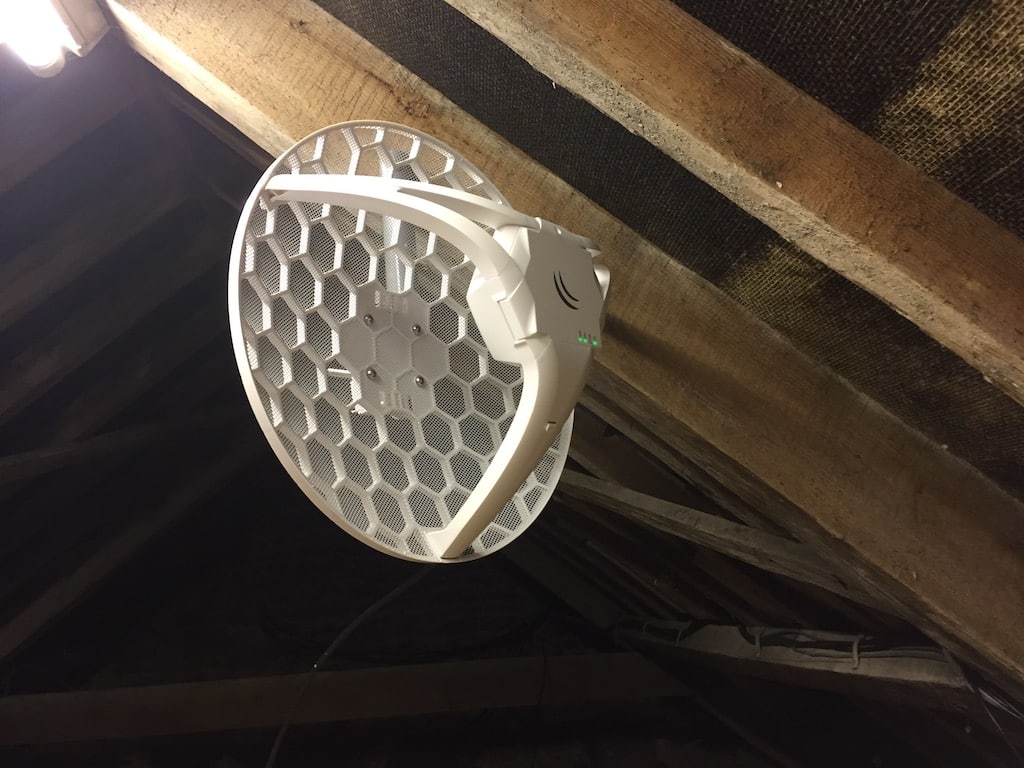
A mobile broadband setup can still be limited by mast signal, congestion and terrain.
A potentially useful alternative for rural or hard-to-connect properties around Swindon when local fixed-line and mobile options are unsuitable.
The people behind the installation
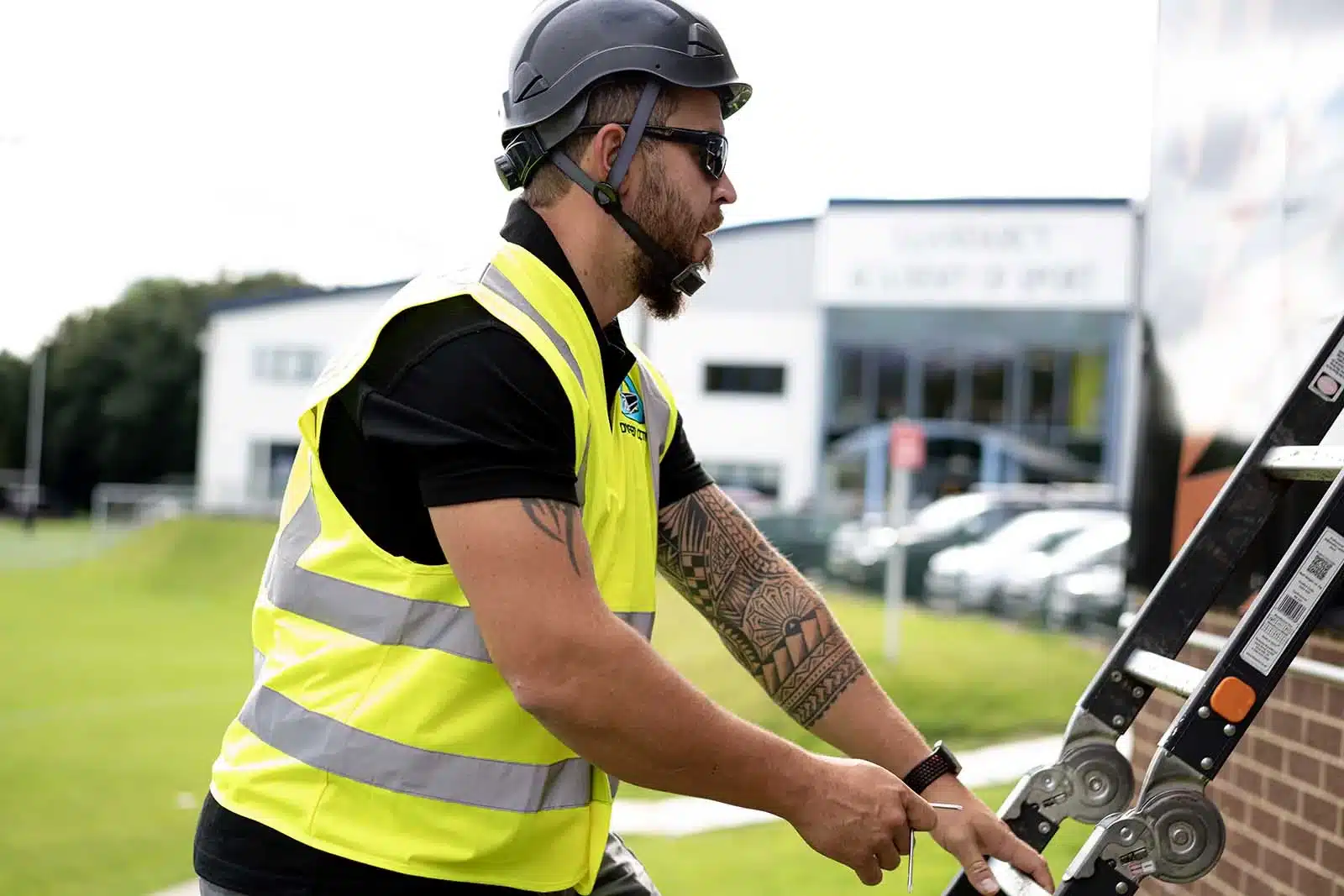
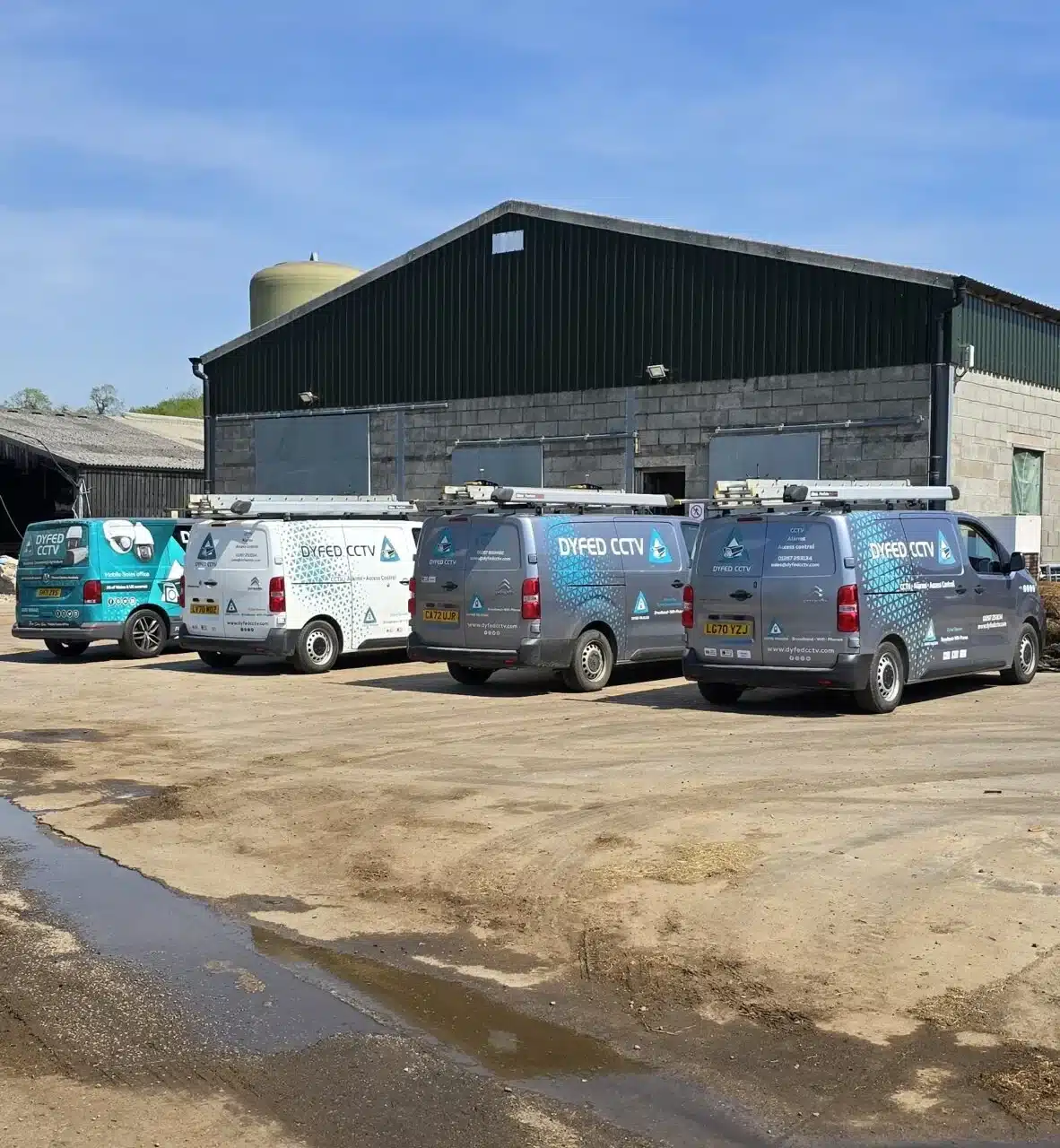
You are dealing with an established engineering company with experience in professional site work, structured connectivity and customer-facing installations — not just a directory sending your enquiry elsewhere.
Our engineers are used to surveying sites, mounting equipment, routing cables and building WiFi and CCTV networks. We can consider not only where the dish goes, but also how the connection serves your household or business. Our SSAIB accreditation applies to our CCTV work; it is not an endorsement or accreditation by Starlink.
Straight answers on the installation price, kit, building access, mounts, wiring, WiFi and what to expect from an independent Starlink installer.
The professional installation price depends on the property, access, mounting height, roof or wall material, bracketry and cable route. Send photographs and your Swindon postcode for a tailored quotation. The Starlink subscription and dish purchase are separate from our labour and mounting-equipment quote.
Yes. The direct product buttons on this page take you to the Starlink Standard kit at Currys PC World and B&Q. You can also order directly from Starlink.
Yes. We can supply suitable wall brackets, poles, adapters and mounting equipment and itemise them on our invoice.
Have the Starlink kit at the property, make sure the proposed installation areas are accessible and let us know where you would like the router and which rooms or separate buildings need coverage.
Buying a compatible kit outright means you own that hardware rather than relying on a rental arrangement for the equipment. Starlink may offer different purchase or rental options; check the current terms for your selected plan before ordering.
Yes. A reliable connection can provide a stronger foundation for remote CCTV viewing, wider WiFi and connected equipment.
No. Dyfed CCTV is an independent installation company and does not manage Starlink plans, accounts, subscriptions or billing.
Yes. Our Swindon service area includes neighbourhoods and nearby settlements within approximately eight miles of the town centre, including Old Town, Abbey Meads, Priory Vale, Wroughton, Chiseldon, Wanborough, Blunsdon, Purton, Royal Wootton Bassett and South Marston. Send your postcode to confirm availability and scheduling.
Starlink needs a sufficiently clear view of the sky. Trees, rooflines and nearby tall buildings can cause interruptions. We can discuss a more suitable mounting position, subject to safe access, permissions and the building. Use the obstruction checker in the Starlink app as an early guide.
Depending on the site, suitable roof, wall, chimney or pole mounting may be possible. We review the surface, structure, wind exposure, fixing method, access and manufacturer requirements before confirming an installation.
Some properties are suitable, but the right to mount equipment, safe roof access, landlord or freeholder approval, conservation-area restrictions, listed-building consent and any applicable planning permission must be resolved first. This can matter in Old Town and the Railway Village, as well as managed blocks. We can discuss mounting and cable routing once permissions are clear.
A standard installation covers fitting and connecting the dish and supplied router. Larger homes, thick-walled buildings, garden rooms, offices and outbuildings may need separately quoted mesh systems, wired access points or point-to-point wireless bridges.
We can discuss relocation or remounting of suitable equipment, depending on its condition, compatibility, access and mounting requirements. Changes to service address, Starlink account and billing must be handled through Starlink.
The time needed varies with access, safe working conditions, mounting height, cable route and any network additions. A straightforward wall installation is different from a tall building or multi-building site. We can advise after seeing the property details.
Dyfed CCTV is an independent installation company. We do not claim Starlink affiliation or control its service plans, subscription prices or account support. Our SSAIB accreditation relates to CCTV services, not Starlink certification.
If good full-fibre broadband is available at your address, compare its price, performance and contract first. Starlink may be particularly useful where wired options are poor, unreliable or unavailable, or where a separate connection is wanted for resilience. Performance is location- and plan-dependent.
Across the town
A Railway Village terrace, modern home near Abbey Meads, workshop off the A419 and rural property in Wanborough can have completely different mounting challenges. We plan around the genuine sky view, roof or wall material, safe access, cable entry and how far the WiFi needs to reach.
Period terraces, closely spaced chimneys, traditional roof finishes and conservation settings can call for discreet positioning and careful routing. Planning or listed-building permissions may apply to particular properties.
Abbey Meads, Priory Vale, Oakhurst, Redhouse, Taw Hill and Tadpole Garden Village often involve newer family homes. We assess roof access, nearby development, router location and WiFi coverage throughout the building.
Toothill, Freshbrook, Westlea, Shaw, Peatmoor and Wichelstowe have varied detached and semi-detached properties, garden rooms and garages. Installation may need to account for multiple floors, mature trees or a separate workspace.
Stratton, Covingham, Dorcan, Eldene and South Marston include family homes and commercial premises, while Wroughton, Chiseldon, Wanborough and Blunsdon add rural access, outbuildings and more exposed mounting positions.
From Old Town, Rodbourne, Stratton and Covingham to Abbey Meads, Priory Vale, West Swindon, Wroughton, Royal Wootton Bassett, Blunsdon and nearby villages, this service-area guide concentrates on communities within approximately eight miles of Swindon town centre. Each quote considers the actual roofline, mounting surface, safe access, obstructions, cable run and networking requirements.
Send us your full postcode to confirm installation coverage, access requirements and scheduling. This page describes the Swindon area we can consider serving; it does not imply that Dyfed CCTV operates a physical Swindon town-centre office.
For local orientation, our service-area guide refers to neighbourhoods around familiar places including Swindon Old Town, Wood Street, the Railway Village, STEAM Museum, the former GWR Works, the Designer Outlet, Lydiard Park, Coate Water, Stanton Park, Town Gardens, the Great Western Hospital, the Orbital Shopping Park, the Link Centre, Wichelstowe Canal, the A419 corridor, Junction 15 of the M4, Junction 16 of the M4, Swindon railway station, Swindon Science Museum collection at Wroughton and the Ridgeway near Wanborough. These are geographical references, not claims that Dyfed CCTV has installed Starlink at these attractions or premises. Please confirm coverage using your postcode.
Swindon service-area map
Professional Starlink installation for homes, apartments, businesses and rural properties across Swindon and the surrounding communities.
Map centred on Swindon, Wiltshire; Dyfed CCTV does not claim to operate a Swindon town-centre office.
Dyfed CCTV is an independent professional installation company, not Starlink. We do not provide Starlink broadband subscriptions, make decisions on hardware availability, manage accounts or control service pricing and billing. You order and manage your Starlink service; we install the compatible equipment at your Swindon property.
THE COMPLETE INSTALLATION REFERENCE
This additional Swindon Starlink guide has been created for homeowners, landlords, remote workers, farms, businesses, holiday accommodation providers and anyone comparing professional Starlink installation with a temporary or do-it-yourself setup. It explains how a good installation is planned, the mounting options available, how the cable can be routed, where the router should sit, how WiFi can be extended and what usually causes poor performance after the dish has been switched on.
Starlink can bring a strong internet connection to a property, but the final result depends on more than the equipment alone. The dish needs a suitable view of the sky. The mounting method needs to suit the building. The cable route should be secure and tidy. The router needs to be positioned where it can serve the property properly. Larger homes, thick-walled buildings, garden offices, farms and commercial sites may also need mesh WiFi, wired access points or point-to-point links. This guide brings all of those decisions together in one place for customers across Swindon and the surrounding Wiltshire area.
UNDERSTANDING INSTALLATION COSTS
A straightforward professional Starlink installation in Swindon normally starts from £299 + VAT for installation labour. The final quotation depends on the property, access, mounting position, cable route and whether additional mounting hardware or network equipment is required. A simple installation on an accessible wall is different from a high roof installation, a chimney installation, a long cable route, a difficult internal entry point or a system that must also serve an outbuilding.
The most useful way to compare prices is to compare the complete finished result. A cheaper quotation may exclude the bracket, specialist fixings, additional cable protection, internal finishing, WiFi work or the time needed to test the system properly. We provide a clear quotation based on the photographs and information supplied, so the customer knows what is included before the engineer attends.
A suitable low-level wall position, normal access, a practical cable route and the Starlink router installed in an appropriate room.
Higher access, a longer route, an awkward building layout, additional cable protection or a mounting position that takes longer to reach safely.
The dish installation is combined with whole-home WiFi, garden-office coverage, outbuilding links, CCTV connectivity or a broader site network.
Send the Swindon postcode, a photograph of the proposed outside mounting area, a photograph showing the wider roofline or elevation, the room where you would like the router and a brief explanation of what the internet needs to cover. Mention any garden office, annex, workshop, barn, CCTV recorder or separate building at the start. Good photographs often allow us to provide a useful quotation without arranging an unnecessary preliminary visit.
HOMES & PROPERTY TYPES
Swindon contains a much wider variety of buildings than a generic installation page suggests. The best approach for a Victorian or railway-era terrace near Old Town or the Railway Village is not automatically the best approach for a detached house in Broome Manor or Lawn, an apartment near Swindon town centre, a farmhouse near Chiseldon or Wanborough or a commercial unit at Kembrey Park, Dorcan or Windmill Hill. Building height, neighbouring roofs, trees, available fixing surfaces, internal wall construction and the position of the rooms that need WiFi all influence the installation.
Terraced homes in areas such as Old Town, the Town Centre, Walcot, Rodbourne and Westlea can have narrow rear access, tall rooflines, extensions, chimney stacks and limited external wall space. We look for a mounting position that clears neighbouring roofs without creating an untidy cable route down the front of the property.
Semi-detached properties often provide more mounting flexibility, but the best position still depends on the roof orientation, trees, shared boundaries and the location of the home office or main living area. A neat side-wall or rear-wall installation is often possible when the sky view is suitable.
Detached homes in Lawn, Broome Manor, Abbey Meads, Haydon Wick, Taw Hill and surrounding areas may have larger gardens, multiple roof sections, garages, annexes and more rooms to cover. These properties often benefit from planning the dish location and WiFi layout together.
Modern homes around Wichelstowe, Tadpole Garden Village, Redhouse and newer developments can have clean external finishes, insulated wall systems and carefully planned interiors. The installation should respect the appearance of the property and avoid unnecessary surface cable where a cleaner route is available.
Apartment installations can be possible, but permission, access and mounting rights must be considered first. A balcony is not automatically suitable, and a communal roof should never be treated as private installation space without approval.
Homes near Wroughton, Chiseldon, Wanborough, Highworth, Blunsdon and the outer Swindon boundary may face weak fixed-line broadband, patchy mobile data, trees and longer distances between buildings. Starlink can be especially useful where the property also needs connectivity in a workshop, yard or separate office.
LOCAL SWINDON EXPERTISE
Local relevance should be useful, not a list of place names repeated for search engines. The examples below show how the property mix in different parts of Swindon can change the way a Starlink installation is approached.
These areas contain many terraces, converted properties, student houses and narrow plots. Suitable dish height, access, neighbouring roofs and a discreet external cable route are often more important than simply choosing the nearest wall.
Established homes, rear extensions, mature trees and carefully maintained front elevations can make a rear or side installation preferable. Router placement matters in long homes with thick internal walls.
Larger homes, mature gardens, multiple storeys and garden offices are common. A clear sky view may require more height, while whole-home WiFi may need more than the standard router alone.
Detached properties can provide several mounting options, but larger footprints and annexes may require a planned network rather than expecting a single router to cover every room and outside space.
Railway-era terraces, converted commercial buildings, newer flats and busy residential streets create different access and permission requirements. Shared roofs and suitable cable routes need particular attention.
Mixed housing, newer developments and properties close to the eastern edge of Swindon can present straightforward installations, but trees, extensions, rendered walls and the chosen router room still need consideration.
Semi-detached and terraced homes often benefit from a simple, well-planned wall installation. The key is selecting a position that avoids roof obstructions and provides a sensible route to the main living or working area.
Rural-edge homes, farms, woodland, larger gardens and separate buildings make obstruction checks and wider network planning especially important. These are often the properties where Starlink, WiFi bridges and CCTV connectivity work together.
We provide professional Starlink installation across the main Swindon postcode districts, including SN1, SN2, SN3, SN4, SN5 and SN6. This covers Swindon itself and surrounding locations such as Wroughton, Chiseldon, Wanborough, Highworth, Blunsdon, South Marston, Lydiard Millicent and nearby Wiltshire villages where an installation is practical. Coverage is based on the actual property location, access and diary availability rather than a rigid postcode boundary.
MOUNTING & POSITIONING
The mount is not just a way of holding the dish. It determines the height, stability, serviceability, cable route and visual finish of the installation. The correct option depends on the building and the sky view. We do not force every property into the same bracket or location.
A wall mount is one of the most practical options for many Swindon houses. It can place the dish above the eaves or away from a lower roof while keeping the installation accessible and the cable route controlled.
Roof mounting can be appropriate where extra height is required to clear nearby rooflines or trees. The priority is a secure method that suits the roof and does not create unnecessary risk of water ingress.
A pole can be useful where the building is unsuitable, the garden provides a better sky view or the dish needs to sit away from trees and roof obstructions. It is common on farms, large plots and properties with awkward elevations.
A chimney can provide excellent height, but it is not always the right answer. The chimney condition, access, mounting method, wind exposure and cable route all need to be considered before using it.
A dish should not simply be left loose on a flat roof. A permanent flat-roof installation needs a method that resists movement, respects the roof membrane and keeps the cable protected from standing water and foot traffic.
A garage, barn, workshop or office may offer the clearest sky view even when the main house does not. The internet can then be distributed back to the house or onwards to other buildings using a suitable network design.
BRACKETS & FIXINGS
The Starlink dish does not attach directly to every television-aerial pole, wall bracket or existing mast. A suitable adapter may be required to connect the dish securely to the chosen support. The bracket, pole and adapter should work as one system rather than being assembled from whatever happens to be available.
A pipe adapter connects the Starlink mast to a compatible pole or bracket. It is useful when the dish is being fitted to an existing or newly installed support rather than a dedicated proprietary wall mount.
The wall bracket provides the stand-off and support needed to clear gutters, fascias, eaves and roof edges. The bracket size should match the required projection and expected loading.
The pole needs suitable diameter, wall thickness and support. An excessively long or lightly supported pole can move in wind even when the dish itself has been tightened correctly.
SKY VIEW & OBSTRUCTIONS
Starlink needs a sufficiently clear view of the sky. A property can have fast internet available from the system but still experience interruptions if the dish repeatedly sees trees, roofs, chimneys or other structures in the area it needs to use. The correct question is not simply whether there is some visible sky; it is whether the proposed mounting position gives the dish the clear operating view it requires.
Mature trees are one of the most common issues around Swindon suburbs and rural-edge properties. Bare branches can still matter, and a position that works in winter may become worse when foliage returns.
Dense terraces and closely spaced homes can block part of the sky from a low rear wall. Extra height or a different elevation may be required to avoid repeated obstruction.
A chimney, dormer, rear extension or raised parapet can sit directly inside the dish's view from an otherwise convenient position. The proposed location should be checked in context.
The Starlink app includes a sky-obstruction check that can help identify whether a proposed position is suitable. It is useful for early planning, but it does not replace safe access, secure mounting or a practical cable-route assessment. Take the check from realistic mounting locations rather than standing at ground level in the middle of the garden and assuming the result applies to the roof.
THE FINISHING DETAILS
Cable routing is one of the clearest differences between a temporary setup and a professional installation. The cable should be supported, protected from sharp edges, kept away from obvious damage risks and brought into the building through a sensible entry point. The route should also allow enough service slack without leaving large loose coils outside.
Fixing and cable support should avoid unnecessary damage to the finish. The route should be planned before the first hole is drilled.
Irregular surfaces, deep walls and hard internal finishes can make the entry route more involved. WiFi performance may also be reduced by thick masonry.
External insulation and specialist finishes require care. The mounting and cable route should suit the wall system rather than relying on generic fixings.
THE DETAILS MAKE THE DIFFERENCE
A tidy installation should work as well as it looks.
The right position, a supported cable and a practical router location matter every day after the engineer leaves.
INSIDE THE PROPERTY
The easiest room for the cable to enter is not always the best room for WiFi. Router position affects the signal available across the house, so it should be considered before the external route is finalised. A router hidden in a corner room, metal cabinet, attic or utility space may connect to the dish but provide disappointing coverage.
WIFI BEYOND THE ROUTER
Starlink may solve the internet-supply problem without automatically solving every WiFi problem inside the property. Thick walls, several floors, extensions, long corridors, converted lofts, garden offices and separate buildings can all reduce wireless coverage. The right solution depends on the layout and on whether the customer values simple convenience, maximum stability or wider outdoor coverage.
Suitable for smaller properties with a central router position and normal internal construction.
Useful for larger homes, multiple floors and rooms beyond the useful range of a single router.
A strong option when network cable can be run to key locations and reliable coverage is the priority.
Designed to carry the connection between separate buildings where trenching a cable is not practical.
The Starlink app may show a healthy internet connection while a phone in a distant bedroom performs poorly. That usually points to local WiFi coverage rather than the satellite link itself. Testing should separate dish-to-internet performance from router-to-device performance so the correct problem is fixed.
SEPARATE BUILDINGS
Many Swindon properties now depend on a garden office, converted garage, studio, annex or workshop. Installing Starlink at the house does not guarantee a strong signal inside a separate building. Distance, walls, insulation, foil-backed materials and the position of both buildings all affect the result.
Where a suitable route exists, a properly installed network cable can provide a stable connection to an access point or small network switch in the second building.
A pair of aligned wireless units can create a dedicated link between buildings. This is often cleaner than relying on household WiFi to travel through two external walls.
Once the connection reaches the garden office or outbuilding, a local access point provides WiFi inside that space rather than expecting the main-house router to do all the work.
CONNECTED LIVING
Different users notice different weaknesses in an internet connection. A household that mainly browses websites may tolerate issues that make video meetings, online gaming, cloud backups or several simultaneous streams frustrating. Starlink can provide a much stronger foundation where the existing service is slow or unreliable, but the internal network still needs to support how the property is actually used.
Reliable video calls, cloud systems, remote desktops and file uploads depend on stability as well as headline download speed. The office should have strong WiFi or a wired connection.
Online games are sensitive to latency, interruptions and local WiFi congestion. A strong direct or wired connection to the gaming device is preferable to weak WiFi through several walls.
Several televisions, tablets and phones can use significant capacity at the same time. Good coverage throughout the home matters just as much as the connection arriving at the router.
COMMERCIAL CONNECTIVITY
A business installation should be planned around the systems that rely on the internet, not treated as a domestic dish with a longer cable. Card payments, cloud software, telephones, CCTV, guest WiFi, booking platforms and staff devices can all depend on the connection. The router and network should be positioned to serve those systems reliably.
For cloud software, video meetings, file access, VoIP services and staff connectivity where existing broadband is inadequate.
For card terminals, booking systems, customer WiFi, online orders, music services, televisions and connected security.
For job-management systems, cameras, stock systems, diagnostics, staff devices and office connectivity on industrial or rural-edge sites.
For site offices and temporary operations where a fixed line is delayed or impractical, subject to the selected Starlink service and site requirements.
Some businesses use an independent connection as part of a wider continuity plan. Proper network configuration may be required for automatic or controlled failover.
A single Starlink connection can form part of a wider network serving offices, workshops, storage buildings and CCTV locations.
Tell us what the site needs to support, how many buildings are involved and whether any existing switches, access points, telephone equipment or CCTV recorders must remain connected. That information allows the installation to be planned around the business rather than around the nearest available socket.
GUEST ACCOMMODATION
Guest WiFi is now part of the expected experience in holiday accommodation and serviced properties. Visitors may stream television, work remotely, make video calls and connect several devices. The system should be reliable, easy to understand and positioned so the main guest areas receive useful coverage.
RURAL & AGRICULTURAL SITES
Farms and rural businesses often need far more than internet in the farmhouse. The office may be in one building, the CCTV recorder in another, livestock cameras further across the yard and guest accommodation elsewhere on the property. Dyfed CCTV can plan Starlink as the starting point of a wider network rather than an isolated dish installation.
Connectivity for accounts, agricultural systems, government portals, ordering, email, video calls and cloud services.
Wireless bridges and access points can carry the connection into livestock buildings, machinery sheds and workshops.
A suitable network can connect the recorder and support remote camera viewing, subject to the wider CCTV system being configured correctly.
CCTV NETWORKING
A CCTV recorder usually needs a reliable network path to the internet for remote viewing, notifications, updates and app connectivity. Starlink can provide that internet connection, but the recorder still needs to be connected to the router or to the wider network. This may be simple in a house and much more involved on a farm or commercial site.
CHOOSING HOW TO INSTALL
Starlink is designed so customers can get the equipment online themselves, and a temporary ground-level setup can be useful for testing. A permanent property installation is different. Working at height, choosing fixings, routing a cable through the building envelope and deciding where the router should sit all require more planning.
Repositioning a poorly located dish, replacing an unsuitable bracket, repairing a messy cable route or adding WiFi equipment after the router has been placed in the wrong room can cost more than planning the complete installation properly at the start.
FROM ENQUIRY TO HANDOVER
A clear process helps the customer know what to order, what information to send and what will happen on installation day. We focus on the installation and network work. The Starlink equipment, service plan, account and subscription remain directly between the customer and Starlink.
Provide the postcode, property type, photographs, access information and a description of the required coverage.
We assess the likely mounting method, hardware, access and cable route, then provide the installation quotation.
Once the Starlink kit has arrived and the quotation is accepted, an installation date can be arranged.
The engineer mounts the dish, routes the cable, connects the equipment, checks status and completes the handover.
REAL INSTALLATION EXPERIENCE
Engineers who understand the entire connection.
Dish mounting, cable routes, WiFi distribution and CCTV networking can be planned as one coherent system.
DIAGNOSING ISSUES
Many disappointing Starlink setups are not caused by a faulty dish. They are caused by the mounting position, damaged or poorly routed cable, unsuitable router location, weak internal WiFi or a misunderstanding about which part of the system is performing badly.
Repeated short interruptions can be caused by obstructions. Check the app obstruction information and consider whether trees, roofs or chimneys affect the dish's view.
This usually indicates a WiFi coverage problem. Repositioning the router, adding mesh units or installing access points may be more useful than changing the dish.
Movement may indicate an unsuitable bracket, loose clamp, excessive unsupported pole length or weak fixing surface. The mounting should be inspected rather than repeatedly tightened without diagnosis.
Cable can be damaged by crushing, sharp bends, doors, windows, animals, garden tools or unsupported movement. A permanent route should protect it from ordinary property use.
Check power, connectors and whether the equipment is being switched off accidentally. Holiday lets and shared buildings benefit from equipment being placed where it cannot be casually unplugged.
The Starlink connection may be healthy while the outbuilding remains outside useful WiFi range. A dedicated cable, bridge or access point is normally required.
WEATHER & EXPOSURE
Swindon installations may face heavy rain, strong winds and exposed, elevated or open rural conditions. The Starlink equipment is designed for outdoor use, but the bracket, pole, fixings and cable route are part of the installer’s work and must be selected for the location. A secure installation reduces avoidable movement and damage.
Wind loading increases with height and projection. An exposed wall, roof or chimney position needs appropriate support rather than the smallest available bracket.
Heavy weather can affect satellite services, while poor cable entry can create a separate building problem. Correct routing and sealing remain essential.
After severe weather, visually check that the dish, pole and cable remain secure. Do not climb or access the roof unless it is safe and you are competent to do so.
MOVING AN EXISTING KIT
Customers sometimes already own the Starlink equipment but need it moved to a better location, transferred to a new property or changed from a temporary stand to a permanent mount. The existing cable and connectors should be inspected, and the new location should be planned as a fresh installation rather than assuming the old setup can simply be copied.
Move a dish from the lawn, patio or flat roof onto a secure wall, roof, pole or outbuilding position.
Relocate the dish to improve sky visibility, shorten interruptions or create a cleaner cable route.
Remove and reinstall the hardware, while the customer manages service-address and account changes directly with Starlink.
PROPERTY PERMISSIONS
Installation permission is the customer’s responsibility. Tenants should obtain landlord approval before drilling or mounting equipment. Apartment owners may need freeholder or management-company consent. Listed buildings, conservation areas and properties with specific planning restrictions can require additional care or formal advice.
CHOOSING INTERNET ACCESS
There is no single best connection for every Swindon property. Full-fibre broadband can be an excellent option where it is available, performs reliably and can be installed without excessive delay. Mobile broadband may be adequate where a strong uncongested signal exists. Starlink becomes particularly attractive where the fixed-line option is poor, the mobile signal is inconsistent or the property needs an independent route that does not rely on nearby street infrastructure.
Often an excellent long-term option where available at the property with suitable installation times and service quality.
Can remain limited by distance, local infrastructure and the quality of the line serving the property.
Can work well with strong signal and capacity, but performance may vary by mast, terrain, congestion and indoor placement.
Useful where clear sky visibility is available and other practical options are too slow, unreliable, delayed or unsuitable.
BEFORE YOU BOOK
Use this checklist before booking an installation. It helps identify the decisions that can affect the quotation and prevents important requirements being discovered only after the engineer arrives.
ANSWERS TO COMMON QUESTIONS
These additional questions cover mounting, cable routing, WiFi, property types, permissions, troubleshooting and the practical difference between ordering Starlink and having it professionally installed.
A professional installation normally includes assessment of the mounting position, secure fitting of the dish, external cable support, a suitable entry route, connection of the router, basic system checks and a practical handover. Additional brackets, network equipment and complex access may be quoted separately.
A straightforward professional Starlink installation in Swindon normally starts from £299 plus VAT for installation labour. The final quotation depends on the property, access, mounting position, cable route and whether additional mounting hardware or network equipment is required.
No. The customer normally orders the Starlink hardware and service directly from Starlink. The starting price relates to professional installation labour for a straightforward job. Any required bracket, adapter, specialist hardware or additional networking is confirmed in the quotation.
We cover Swindon and surrounding areas, subject to property access, safe working conditions, the proposed installation method and diary availability. Send the postcode and photographs so the job can be assessed.
Yes. Terraced houses are common installation locations. The engineer needs to consider neighbouring roofs, chimneys, access, the best elevation and how the cable can reach the router without creating an untidy route.
Yes. A side or rear wall can often provide a practical mounting location, but the sky view, trees, roof layout and preferred router room still need to be checked.
Sometimes. The customer may need permission from the freeholder, landlord or management company. A balcony must have a suitable sky view, and communal roofs or walls cannot be used without proper authority.
Yes. A tenant should obtain permission before drilling, attaching equipment or altering the building. Written approval is preferable.
A chimney installation can be possible where the structure, access and mounting method are suitable. The condition of the masonry, wind exposure, cable route and future chimney maintenance should all be considered.
Yes, but it should not be left loose as a permanent solution. The mount should be stable, suitable for the roof covering and positioned so the cable is protected from water, foot traffic and damage.
Sometimes, provided the pole, bracket and fixings are suitable and in good condition. The added load, pole diameter, movement and available sky view must be assessed. A suitable adapter may be required.
A pipe adapter connects the Starlink mast to a compatible pole or bracket. It is commonly used when the dish is fitted to a support other than a dedicated Starlink mount.
There is no single required height. It needs to be high enough and positioned well enough to achieve a suitable sky view while remaining securely mounted. Unnecessary height can increase wind loading and make future access harder.
Yes. Trees can obstruct the dish's view and cause interruptions. The effect may change through the seasons as foliage grows. A higher or different mounting position may be needed.
It can block part of the required sky view if the dish is mounted too low or too close to the neighbouring roofline. The position should be checked before installation.
Yes. Existing equipment can be assessed and relocated, subject to cable condition, access, available mounting points and the suitability of the proposed new position.
Yes, installation work can be provided. The customer remains responsible for any Starlink account, service-address or subscription changes required for the move.
The correct approach depends on the specific Starlink hardware and cable arrangement. It is better to plan the dish and router positions around approved compatible cabling rather than relying on improvised joins.
A temporary cable may be passed through an open route, but closing a window or door onto it can crush or damage the cable. A permanent installation normally uses a properly planned entry point.
It can be powered there, but the attic may be a poor WiFi location for the rest of the house. Heat, access and the distance to occupied rooms should also be considered. A central internal position is often better.
It may work, but enclosing the router can reduce WiFi performance and make accidental disconnection more likely. An open, elevated and reasonably central position is preferable.
It depends on the size, construction and router position. Smaller modern homes may be covered adequately. Large, long, multi-storey or thick-walled properties may need mesh WiFi or access points.
Yes. We can discuss mesh WiFi and wider networking where the standard router does not cover the required rooms or floors.
The standard WiFi may reach a nearby garden office, but it is not guaranteed. A network cable, wireless bridge or separate access point often provides a more dependable result.
Yes. Depending on distance and layout, the connection can be extended using network cabling, access points, mesh equipment or a point-to-point bridge.
Yes. Starlink can be the main internet source, with a cable or wireless bridge carrying the network to the separate building. Power and local WiFi equipment may also be required there.
Yes. The CCTV recorder must be connected to the network, and the remote-viewing service must be configured correctly. Farms and multi-building sites may require bridges or switches.
In many cases, yes. The required work depends on the recorder location, available network ports, existing cabling and whether the recorder is in the same building as the Starlink router.
It can be a strong option where existing broadband is too slow or unreliable. The home office should also have strong WiFi or a wired network connection.
Many customers use Starlink for gaming, but performance can vary. A wired connection to the gaming device can reduce local WiFi problems. Users should understand that satellite-network conditions can change.
It can provide enough performance for streaming in many properties. The number of simultaneous users and the WiFi strength at each television or device will affect the experience.
Yes, but the experience depends on the available service performance, the activities taking place and the quality of the internal WiFi network.
It depends on the location. Strong uncongested 4G or 5G can work well. Starlink may be preferable where mobile performance is weak, inconsistent or dependent on a congested local mast.
Full fibre can be an excellent option where it is available and reliable. Starlink is especially useful where fibre is unavailable, delayed, too expensive to extend or unsuitable for the property’s circumstances.
Severe weather can affect satellite services. A properly positioned and securely mounted dish helps avoid preventable installation problems, but no installer can guarantee identical performance in every weather condition.
A suitable mount, bracket, pole and fixing method are important in exposed locations. After unusually severe weather, the installation can be visually checked from a safe position.
Routine hands-on maintenance is normally limited, but the dish, bracket, pole and cable should remain secure and unobstructed. Trees may need reassessment as they grow.
The cause should be identified. Growing trees, new structures or a moved dish can change the sky view. Relocation or additional height may be required.
We can assess relocation, remounting, cable-routing and network issues. The available solution depends on the condition of the existing equipment and the property.
Many normal domestic installations may not require a separate application, but the customer should obtain specific advice where the property is listed, in a conservation area, subject to lease restrictions or affected by unusual planning controls.
Yes. A tenant should obtain permission before drilling, attaching equipment or altering the building. Written approval is preferable.
Potentially, but consent or specialist guidance may be required. The customer should resolve permissions before installation, and the proposed location should respect the building.
Yes. The installation should account for landlord permission, roof or wall access, business network requirements, CCTV, payment systems and the number of users.
It can form part of a backup strategy. Automatic failover and network resilience may require additional router or firewall configuration beyond the basic dish installation.
Yes, subject to the equipment, service plan, safe mounting options and the duration of the site. Temporary does not mean the dish should be left vulnerable to movement or damage.
Yes. We can install the dish and discuss WiFi coverage, equipment placement and connections for televisions, booking devices and CCTV.
Yes. We work with farms and rural properties and can also discuss network bridges, outbuilding WiFi and CCTV connectivity.
Yes. Point-to-point wireless links can be supplied and installed where there is a suitable line of sight and power at both ends.
Many straightforward installations take a few hours. High access, complex routes, difficult walls, additional WiFi or multi-building work can take longer.
An authorised adult should normally be present to confirm the mounting position, provide access, approve the cable entry and access the Starlink account or app where required.
You can request a quotation before ordering, but the exact hardware version and cable supplied should be confirmed before the installation date. The kit must normally be at the property when the engineer attends.
We normally ask the customer to order directly from Starlink so the service, hardware, billing and account remain in the customer’s own name.
No. Subscription, billing, account access, availability, service changes and support remain directly between the customer and Starlink.
No. Dyfed CCTV is an independent installation company. We install customer-owned Starlink equipment but do not represent Starlink or control its products, prices, plans or service.
ONE CONNECTED SYSTEM
The strongest installation is often the one that considers the whole property. The Starlink dish brings internet to the site. The router distributes it locally. Mesh units or access points improve coverage. Wireless bridges reach separate buildings. Network switches connect fixed equipment. CCTV recorders use the connection for remote access. Dyfed CCTV can help bring those elements together for Swindon homes, farms and businesses.
Secure mounting, cable routing, router setup, checks and handover.
Mesh WiFi, access points, network cabling and links to separate buildings.
Recorder internet connections, remote viewing and multi-building network planning.
START YOUR INSTALLATION
Send your Swindon postcode, photographs of the property, the proposed mounting area and the room where you would like the router. Tell us whether the connection also needs to reach a garden office, annex, workshop, farm building, business unit or CCTV recorder. We will assess the likely installation method and provide a clear quotation.
Independent installer notice: Dyfed CCTV is an independent installation company and is not affiliated with Starlink. Customers order the Starlink equipment and service directly. Dyfed CCTV does not control Starlink availability, product specifications, subscriptions, billing, account access, service performance or support policies.